Welcome to the Ideas tab. Clicking on here will give you three options, Today, Research and Watchlists.
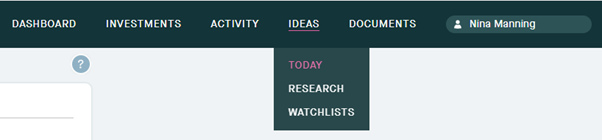
Today: Latest news, insights and ideas we think you might like.
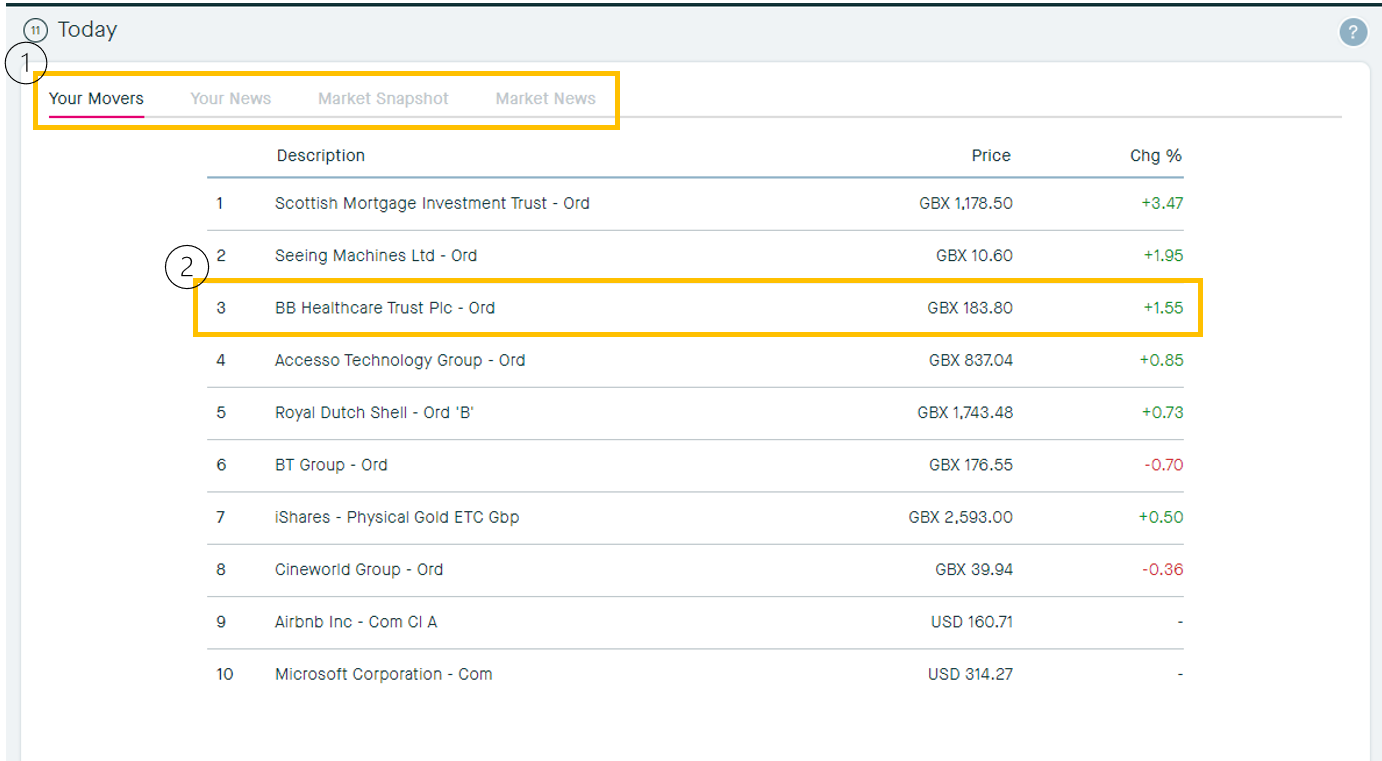
1. Your Movers
1. Click through these to select Your Movers, Your News, Market Snapshot or Market News tabs.
2. Click anywhere here to open up the information card for the stock, which will give you further information such as Stock Information, Charts, Background Information and Transaction History, explained below.
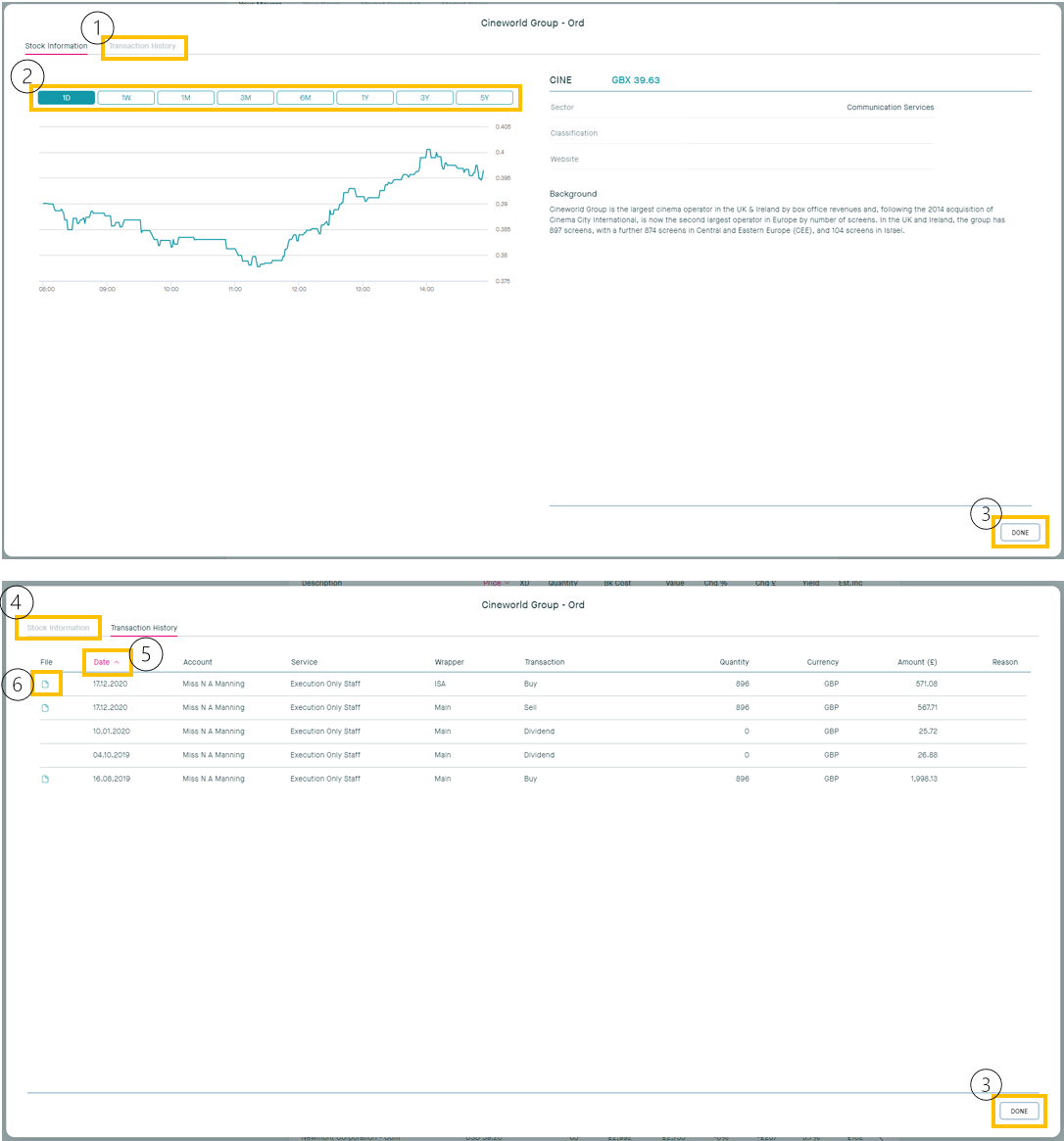
Clicking any of the above opens you up into the stock data as shown below:
1. Click to view your Transaction history in the stock
2. Change the period of time in which to view the price movements in the chart, from one day to five years
3. Click done to exit back out of the stock information card
4. Click here to return to Stock Information, once in the Transaction History tab
5. Use these filters to change how the data is sorted, by Date, account, service etc.
6. Click on this icon to open up the Documents tab to view the contract note document you have received related to this transaction.
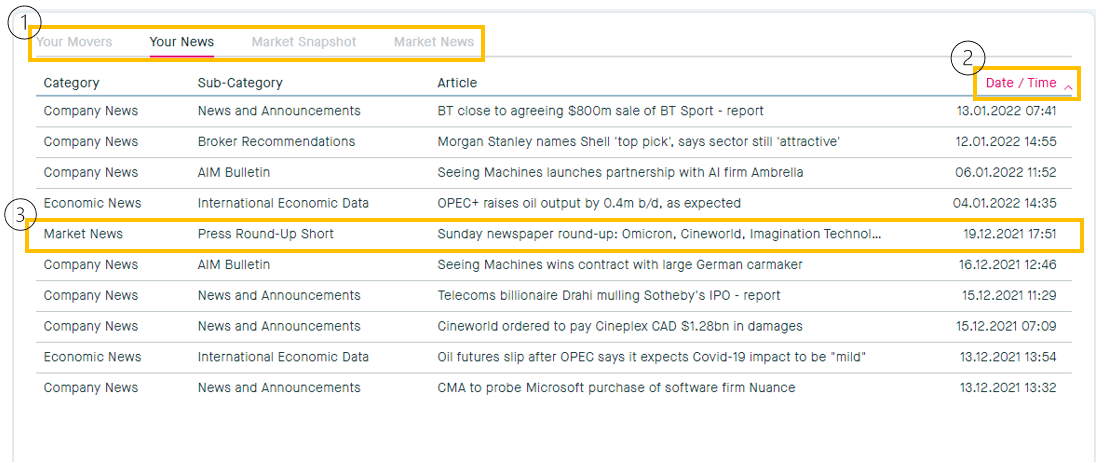
2. Your News:
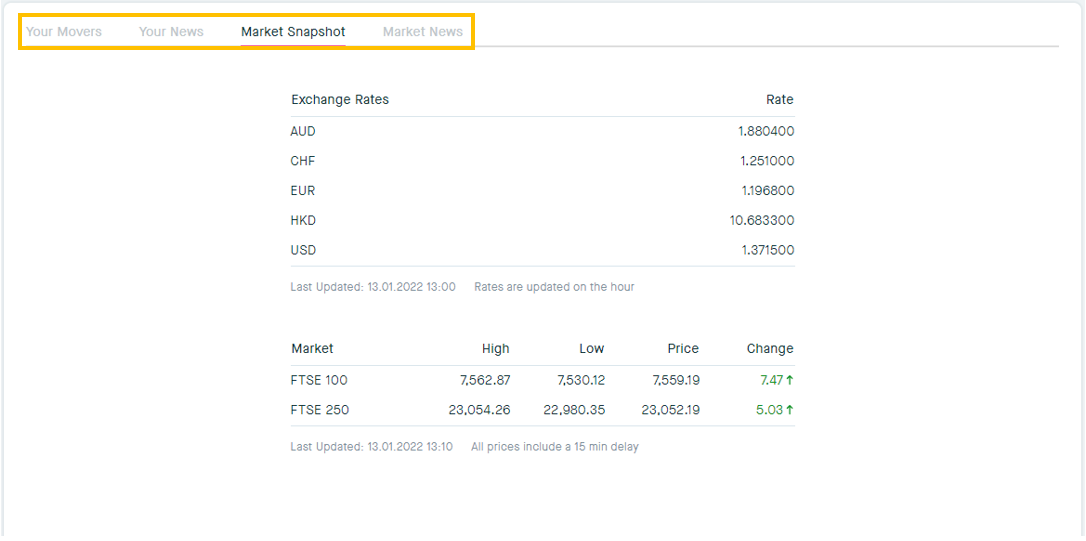
1. Click through these to view Your Movers, Your News, Market Snapshot or Market News
2. Click here to filter Your News by date/time
3. Click anywhere here to open up the Your News card, where you will see the specific news item you have clicked on
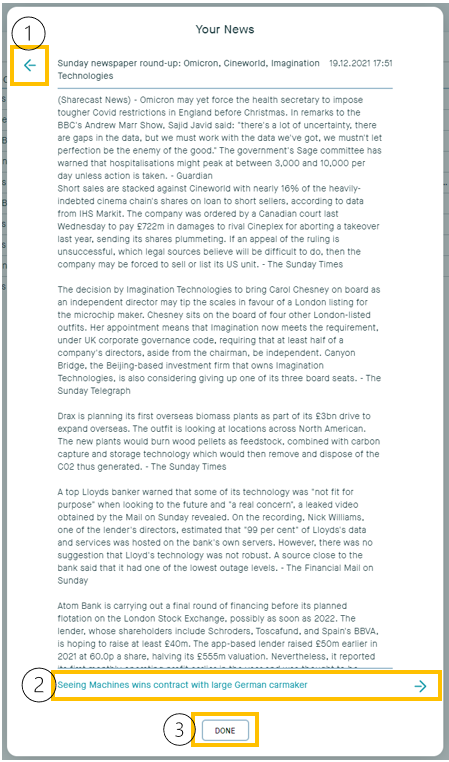
1. Click here to exit out of the News card
2. Click here to go through to the next news article
3. Click done to exit out of the news card
3. Market Snapshot
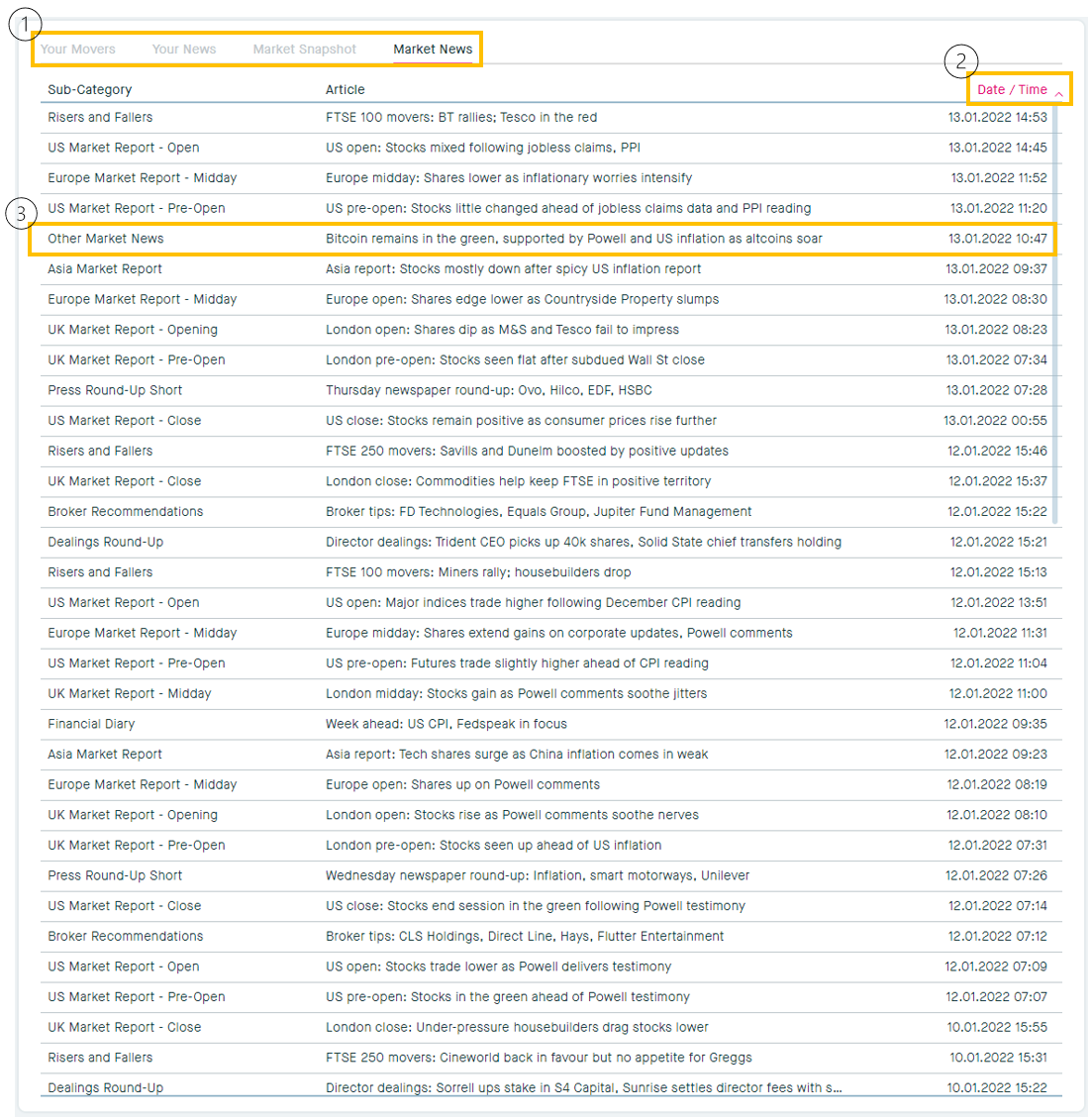
4. Market News
1. Click through these to view Your Movers, Your News, Market Snapshot or Market News
2. Click here to filter Market News by date/time
3. Click anywhere here to open up the Market News card, where you will see the specific news item you have clicked on
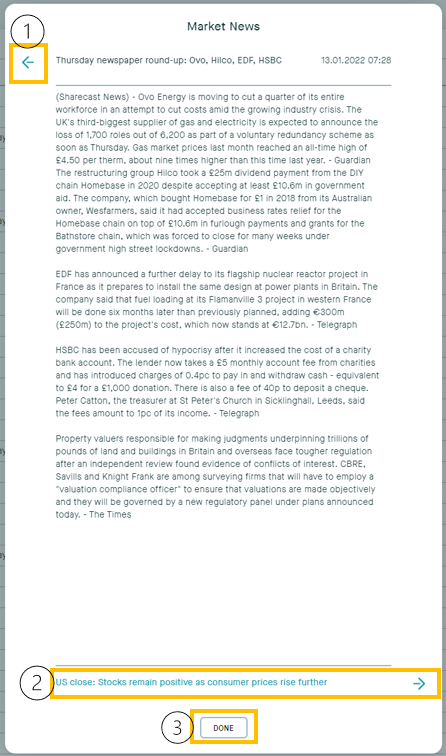
1. Click here to exit out of the News card
2. Click here to go through to the next news article
3. Click done to exit out of the news card